Managing screen brightness plays an important role in creating a comfortable computer experience. Users working with multiple monitors often face difficulty adjusting brightness separately through physical monitor buttons. Monitorian provides a simple solution by offering convenient brightness controls directly from Windows.
Monitorian is a lightweight monitor brightness control application designed for Windows computers. It allows users to manage brightness levels for multiple monitors from a single interface. The software focuses on simplicity, quick access, and better screen management, making it useful for home users, professionals, developers, and people working with multi-monitor setups.
Understanding Monitorian
Monitorian is a desktop utility that helps users control monitor brightness without repeatedly using hardware buttons. The application detects compatible monitors connected to a Windows computer and displays brightness controls in an accessible interface.
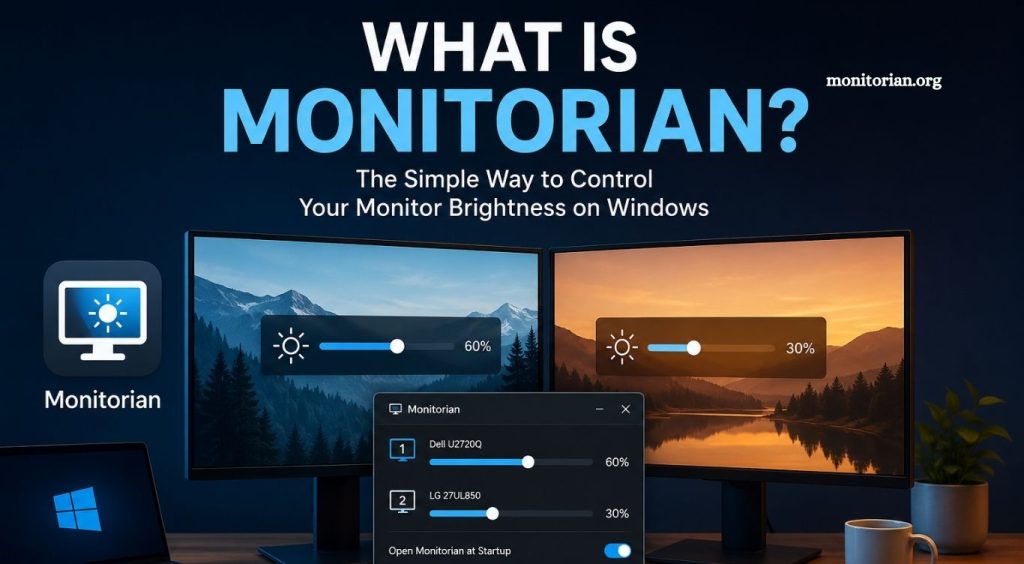
Users can change brightness levels through simple sliders. Each detected monitor can have an individual brightness setting, allowing better control over different displays. This feature becomes especially helpful when monitors have different brightness levels or display characteristics.
Read More: What is Monitorian?
Monitorian works mainly with monitors supporting DDC/CI communication. This technology allows a computer to communicate with a monitor and modify supported display settings through software.
How Does Monitorian Work?
Monitorian communicates with connected displays through Windows and supported monitor control technologies. After installation, the application identifies compatible screens and provides brightness adjustment options.
The program usually runs from the Windows system tray, making brightness controls easy to access. Users can open Monitorian, locate a connected display, and move the brightness slider to a preferred level. Changes appear directly on the selected monitor.
This software-based approach saves time and creates a smoother workflow. Users working with two or more screens can adjust each display without navigating complicated monitor menus.
Monitorian for Multiple Monitors
Multi-monitor setups have become common in offices, home workspaces, gaming environments, and creative studios. Different monitors may produce varying brightness levels, leading to eye discomfort and an inconsistent viewing experience.
Monitorian simplifies multiple monitor brightness control by bringing supported displays into one interface. Users can adjust each screen independently and create a more balanced visual environment.
A brighter monitor can be reduced, while a darker screen can be increased according to personal preference. This level of control helps maintain visual consistency across a workspace.
Simple and User-Friendly Interface
One major reason users choose Monitorian is its clean interface. The application avoids unnecessary menus and complicated configuration options. Brightness sliders remain easy to understand, even for users with limited technical knowledge.
Monitor names appear alongside available controls, helping users identify each connected display. Quick access from the system tray also reduces the time required to manage and monitor brightness.
Its straightforward design makes Monitorian suitable for users seeking a practical Windows brightness control tool without heavy system requirements.
Monitorian and Eye Comfort
Screen brightness can affect viewing comfort, especially during long computer sessions. A display that appears excessively bright in a dark room may cause discomfort, while low brightness in a well-lit environment can make content difficult to view.
Monitorian makes regular brightness adjustments more convenient. Users can quickly modify display brightness when room lighting changes throughout the day.
Although Monitorian is not a medical application, convenient brightness management can support a more comfortable viewing environment. Proper screen positioning, regular breaks, and suitable room lighting remain important for healthy computer use.
Monitorian Compatibility
Monitorian is designed for Windows systems and works best with external monitors supporting DDC/CI. Compatibility can vary depending on monitor hardware, connection type, graphics configuration, and display settings.
Some monitors may require DDC/CI to be enabled through the monitor’s built-in settings menu. Certain adapters, docking stations, or connection methods may also affect communication between Monitorian and a display.
Users should check monitor specifications when brightness controls are unavailable. Updating display drivers and reviewing monitor settings may also help resolve compatibility issues.
Is Monitorian Easy to Use?
Monitorian offers a simple experience for everyday brightness management. After setup, users can access brightness controls with minimal effort. No advanced technical knowledge is usually required for compatible monitors.
The application’s lightweight nature makes it practical for regular use. It can remain available in the system tray and provide quick brightness controls whenever needed.
For users tired of pressing monitor buttons or navigating on-screen display menus, Monitorian offers a more convenient approach.
Why Use Monitorian?
Monitorian is useful for anyone seeking easier monitor brightness control on Windows. Its value becomes more noticeable with multiple external displays, where manual brightness adjustment can become repetitive.
The software centralizes display brightness controls and provides a cleaner method for managing supported monitors. Quick access, individual monitor adjustment, and a simple interface make it an effective desktop utility.
Professionals spending long hours at a computer can benefit from faster brightness changes during different lighting conditions. Home users can also enjoy improved control without constantly interacting with physical monitor controls.
Is Monitorian Safe?
Monitorian is a monitor management utility focused on brightness control. Users should always obtain software from trusted and official distribution sources to reduce security risks.
Before installing any desktop application, checking the software source, required permissions, and current version information is recommended. Keeping Windows and installed applications updated also supports better security and compatibility.
Monitorian does not replace display drivers or physically modify monitor hardware. It communicates with supported displays to manage available brightness controls.
Conclusion
Monitorian is a practical Windows utility that makes monitor brightness control simple and convenient. Its clean interface, multi-monitor support, and quick brightness adjustments improve everyday display management. For users seeking an easier way to control compatible screens without physical monitor buttons, Monitorian provides an efficient and user-friendly solution.